
Desk Posture & Movement Breaks
Updated on
In short
A comfortable desk setup keeps your feet supported, the top of the screen at or slightly below eye level and the keyboard close enough for relaxed elbows. Even with a good setup, short and frequent changes of position, such as a brief break every 30 to 60 minutes, help reduce stiffness from sitting still.
Key Takeaways
- Setting up your chair, screen, and keyboard properly supports comfortable working.
- Taking short micro-breaks every 30 to 60 minutes encourages movement.
- Simple stretches and standing during calls can help maintain flexibility throughout the day.
Many people find themselves spending significant portions of their day seated at a desk or working on a computer. Paying attention to how you sit and building regular movement into your day are simple habits many people find make long working days feel more comfortable. A static position, even an optimal one, can become tiring for the body if maintained for too many hours without interruption. Recognizing the importance of how you sit and how frequently you move is a useful everyday habit for anyone working in an office environment or studying for extended periods.
Setting Up Your Workspace
A well-arranged workspace can make a notable difference in how you feel at the end of the day. A few general adjustments to your environment can help support a more comfortable seated position and reduce unnecessary strain on your body. These guidelines aim to keep your body in a neutral, relaxed position, minimizing the effort required by your muscles to support your frame while you focus on your tasks.
- Chair and Feet: Adjust your chair so your feet can rest flat on the floor or on a stable footrest. Your knees should be roughly at or slightly below hip level, allowing your thighs to be parallel to the floor. This provides a solid foundation and supports the natural curve of your lower back.
- Screen Height: Positioning the top of your monitor at or just below eye level can encourage you to keep your head in a neutral, balanced position, easing the tendency to lean forward or tilt your neck awkwardly. The screen should preferably be about an arm's length away.
- Keyboard Placement: Keep your keyboard and mouse close enough that your elbows can rest comfortably by your sides at about a 90-degree angle, avoiding the need to reach or extend your arms constantly. This helps keep your shoulders relaxed.
The Micro-Break Habit
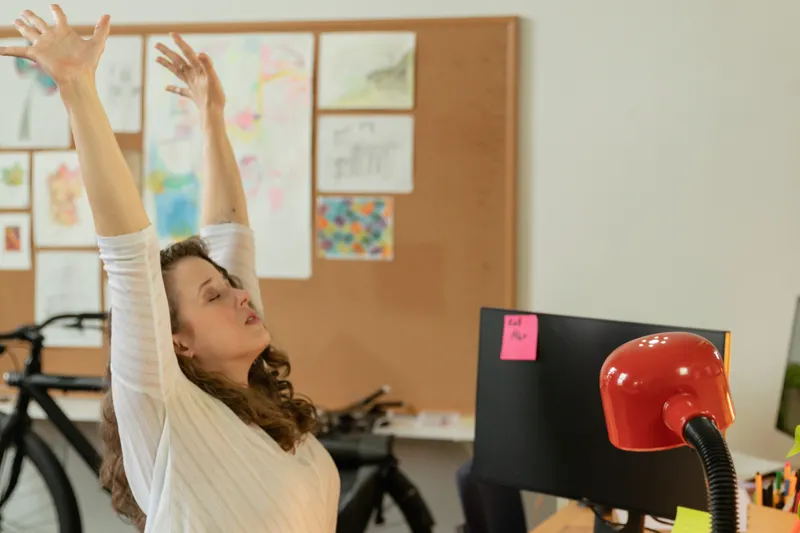
Even with an exceptionally comfortable desk setup, the human body benefits from regular movement. Remaining in a single, static position for prolonged periods can lead to stiffness and feelings of fatigue. A helpful habit to develop is taking a micro-break every 30 to 60 minutes.
During these short pauses, standing up, shifting your position, or simply looking away from the screen for a few moments can provide a brief but valuable reset for your muscles and your eyes. This frequent change of posture is often more beneficial than a single, long break in the middle of the day. It helps to encourage circulation and gives specific muscle groups a brief period to rest from continuous engagement.
Simple Seated Stretches
Adding a few gentle movements into your day may help you feel more comfortable without needing to leave your workspace. These simple exercises can be performed smoothly and without pushing into any pain, offering a simple way to change position while remaining seated. Some simple stretches include:
- Neck Rolls: Slowly and gently rolling your head in a semi-circle from side to side as a gentle change of position.
- Shoulder Shrugs: Raising your shoulders towards your ears, holding for a moment, and then letting them drop back down in a relaxed position.
- Wrist Circles: Rotating your wrists in both directions to maintain flexibility in your hands and forearms.
Standing and Walking
Finding opportunities to stand or walk can naturally break up periods of sitting. This might involve standing up when taking a phone call or walking over to speak with a colleague instead of sending a message. Over the course of a day, these small moments of activity add up and support overall mobility.
Frequently asked questions
How high should my monitor be?
A common guideline is to place the top of the screen at or just below eye level, about an arm's length away, so you can keep your head and neck in a neutral position.
How often should I take a break from my desk?
Workplace health guidance, such as from the UK Health and Safety Executive, notes that short, frequent breaks or changes of activity are better than occasional longer ones. Many people aim for a brief pause every 30 to 60 minutes.
What simple stretches can I do at my desk?
Gentle neck movements, shoulder shrugs and wrist circles are easy to do while seated. Move slowly and stop if anything feels painful.
When should I get professional advice?
If you have persistent discomfort, stiffness or pain linked to desk work, speak to a doctor or physiotherapist, or ask your employer about a workstation assessment.
When to talk to a professional
If you experience persistent discomfort, stiffness, or pain associated with your daily activities, speak to a doctor, physiotherapist, or other qualified professional. This guide provides general tips and is not a substitute for medical advice or professional ergonomic assessments.
Sources
General information from public health bodies and published research, consulted when this guide was last updated.
- Working safely with display screen equipment — Health and Safety Executive (UK)
- Working with display screen equipment (DSE) — Health and Safety Executive (UK)
- Computer workstations eTool — Occupational Safety and Health Administration (U.S.)
- Sitting exercises — NHS